Editor's Review
The Microsoft Authenticator app is an essential tool for anyone looking to enhance the security of their online accounts. By allowing for both multi-factor authentication (MFA) and passwordless login options, this app ensures that users can access their accounts securely. You can download the Microsoft Authenticator app for free on both Android and iOS, making it accessible for various users. The app effectively streamlines the login process while providing the robust security features necessary for today’s digital landscape. 🔒
Features
1. Multi-factor Authentication (MFA): Utilize a second layer of security that requires both your password and a one-time password (OTP) generated by the app.
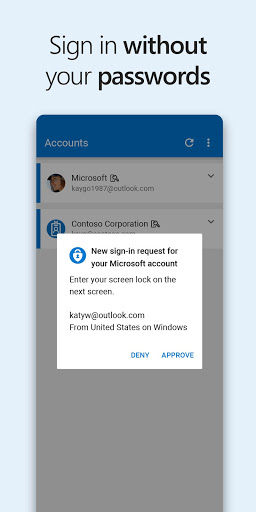
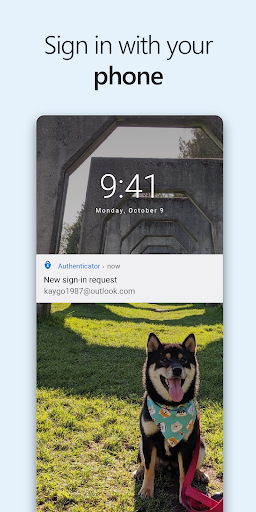
2. Passwordless Login: Quickly sign into your Microsoft account just by approving a notification on your phone, eliminating the need for passwords altogether.
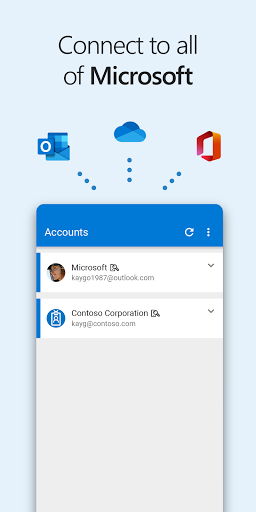
3. Support for Multiple Accounts: The Microsoft Authenticator app allows you to add multiple accounts, including non-Microsoft services like Facebook, Google, and Dropbox.
4. Easy Account Management: Easily manage your Microsoft personal, work, or school accounts directly from the app.
5. Offline Functionality: The OTP generation doesn't require an internet connection, providing added convenience and efficiency. 📱
Pros
1. Enhanced Security: The two-factor authentication adds significant security to your online accounts, helping to prevent unauthorized access.
2. User-Friendly Interface: The Microsoft Authenticator app has a straightforward, intuitive design that makes it easy for users to navigate.
3. Cost-Free: It’s completely free to install the Microsoft Authenticator app, allowing everyone to benefit from added security without financial investment.
4. Cross-Platform Compatibility: Available on both Android and iOS, making it accessible regardless of the operating system you use.
5. Secure Backup: The app can securely back up your account details, making recovery simple in case of device loss. 🛡️
Cons
1. Dependency on Phone: The reliance on your mobile device for authentication may pose a challenge if you lose your phone or it is out of battery.
2. Learning Curve for New Users: For individuals unfamiliar with MFA, the initial setup might seem complex, requiring some adjustment. ⚡